RC Robot Cat with Voice Commands, Music & Dance for Kids
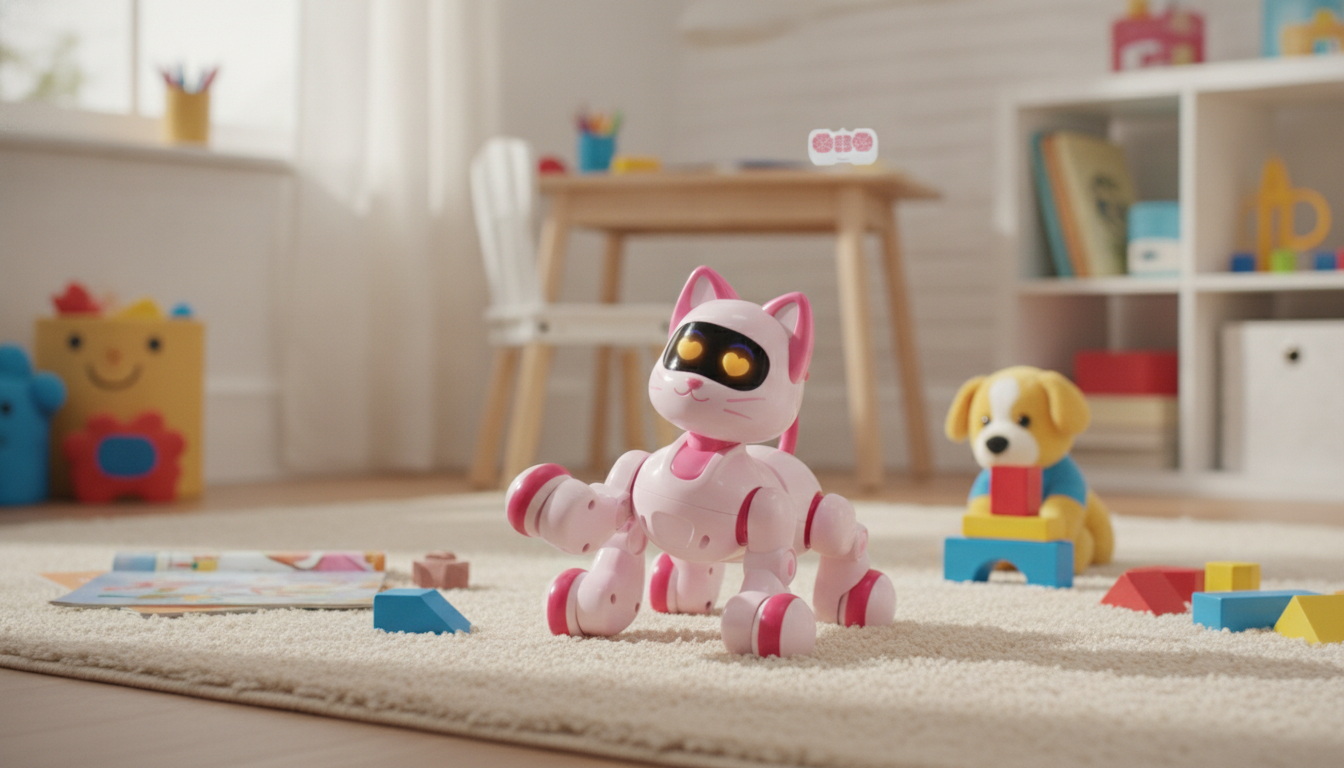
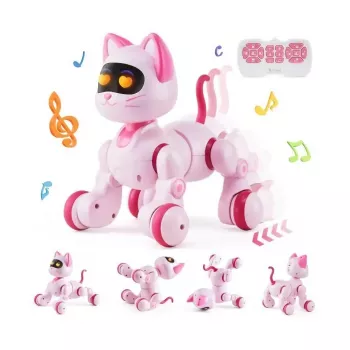
Intelligent RC Robot Cat with Voice Command, Dance & Music – Interactive Toy for Kids
This interactive robot cat brings pretend-pet fun to playtime with remote control movement, voice command features, built-in music, and dance-style actions. It’s designed to keep kids engaged through responsive play while offering an easy, screen-free way to explore coordination, listening skills, and imaginative storytelling.
If you’re shopping for a playful tech toy that feels like a “pet” without the feeding, shedding, or daily care routine, the Intelligent RC Robot Cat with Voice Command, Dance & Music – Interactive Toy for Kids is a lively option for birthdays, holidays, and everyday surprises.
What Makes This Robot Cat So Engaging
Kids tend to bond quickly with toys that respond to them, and a robot cat hits a sweet spot: it feels friendly and familiar, but it also does things real pets can’t—like run through preset routines and perform dance-like moves on demand.
- Interactive pet-style play without the upkeep of a real animal
- Multiple ways to interact: remote control and voice commands
- Dance and music functions add variety for solo play or group playdates
- A playful option for kids who enjoy cats, robots, or tech-themed toys
- Works well as a gift for birthdays, holidays, and reward milestones
Key Features at a Glance
One reason this style of toy stays in rotation is that it supports different “moods” of play—high-energy performances, focused driving practice, or imaginative pet care scenes.
- Voice command interaction for hands-free moments during play
- Remote control driving to practice direction-following and spatial awareness
- Music and dance modes to create mini “performances”
- Kid-friendly design intended for everyday home use
- A compact toy size that’s easy to store between play sessions
Feature Guide
| Feature | What it does | Why it’s useful for kids |
|---|---|---|
| Voice commands | Responds to spoken cues (varies by mode) | Encourages listening, turn-taking, and playful communication |
| RC control | Moves using a handheld controller | Builds coordination and cause-and-effect learning |
| Dance mode | Performs pre-set dance-like actions | Adds novelty and boosts imaginative play |
| Music | Plays built-in tunes during certain modes | Creates an energetic play atmosphere and encourages movement |
| Interactive pet styling | Cat-like look and behaviors | Supports nurturing role-play and storytelling |
How Kids Typically Play With It
Most kids ramp up in stages: first they learn the basics, then they start inventing games. A little structure at the start can help them feel confident quickly.
- Start with RC mode to learn basic movement and turning
- Switch to voice command mode for interactive “training” games
- Use dance and music modes for a mini show, then take turns controlling it
- Create pretend scenarios: pet care, adventures, and “robot helper” missions
- Pair play with simple rules (quiet hours, indoor boundaries, and safe zones)
For playdates or siblings, rotating roles keeps things fair: one child drives, another gives voice prompts, and another “directs” the performance by picking a stage area and audience seating.
Skills It Can Help Encourage During Play
Interactive RC toys can do more than entertain. When kids practice guiding the toy, reacting to its movements, and experimenting with modes, they’re also practicing core developmental skills through repeatable, self-directed play.
- Fine motor control and hand–eye coordination through remote operation
- Listening and comprehension through voice-based prompts and responses
- Social interaction when kids take turns, set challenges, or choreograph dances
- Imaginative thinking through pet role-play and storytelling
- Confidence-building as kids learn controls and master new play modes
Setup, Everyday Use, and Care
A smooth first-time setup helps prevent “it doesn’t work” frustration and keeps the focus on fun. A few small habits also help the toy last longer.
- Before first play: confirm power requirements, charge or install batteries as applicable, and test basic movement
- Use on smooth indoor surfaces for more predictable driving and turning
- Keep hair, loose clothing, and strings away from moving parts
- Wipe the exterior with a soft, dry cloth; avoid water immersion unless the product instructions explicitly allow it
- Store the toy and controller together so it’s ready for the next session
For easy cleanup and fewer lost pieces, a simple organizer can help keep accessories, manuals, and small packaging inserts in one place—especially if the toy gets rotated between rooms. The 2pcs Set Reusable Baby Blanket Storage Bag works well as a lightweight storage option for toy gear and household grab-and-go organization.
Safety Notes for Parents and Gift-Givers
Interactive toys are exciting, but basic safety practices keep play comfortable and age-appropriate. For general guidance, review toy safety tips from the U.S. Consumer Product Safety Commission and age-appropriate toy recommendations from HealthyChildren.org (AAP).
Value and Gifting Ideas
For an easy gift bundle, pair the Intelligent RC Robot Cat with Voice Command, Dance & Music – Interactive Toy for Kids with a simple organizer like the 2pcs Set Reusable Baby Blanket Storage Bag to keep everything tidy between play sessions.
FAQ
What age is an interactive robot cat suitable for?
Many interactive RC-style toys are a good fit for elementary-aged kids who can follow directions and handle a controller, with closer supervision for younger children. Always check the manufacturer’s recommended age on the product listing and supervise if small parts or batteries are involved.
Does it work better on carpet or hard floors?
Smooth hard floors typically allow easier movement, turning, and more consistent responsiveness. Thicker carpet can slow the toy down or make turning less precise depending on wheel traction and motor strength.
What should be done if the robot cat doesn’t respond to the controller or voice commands?
Start by confirming the toy is powered on and fully charged (or has fresh batteries installed with correct polarity). Reduce distance, remove potential interference, and try a quick power cycle to re-establish the connection; then follow the troubleshooting steps in the included instructions if the issue continues.













Leave a comment