8K GPS Dual-Camera Drone: Setup Tips & Shot Ideas
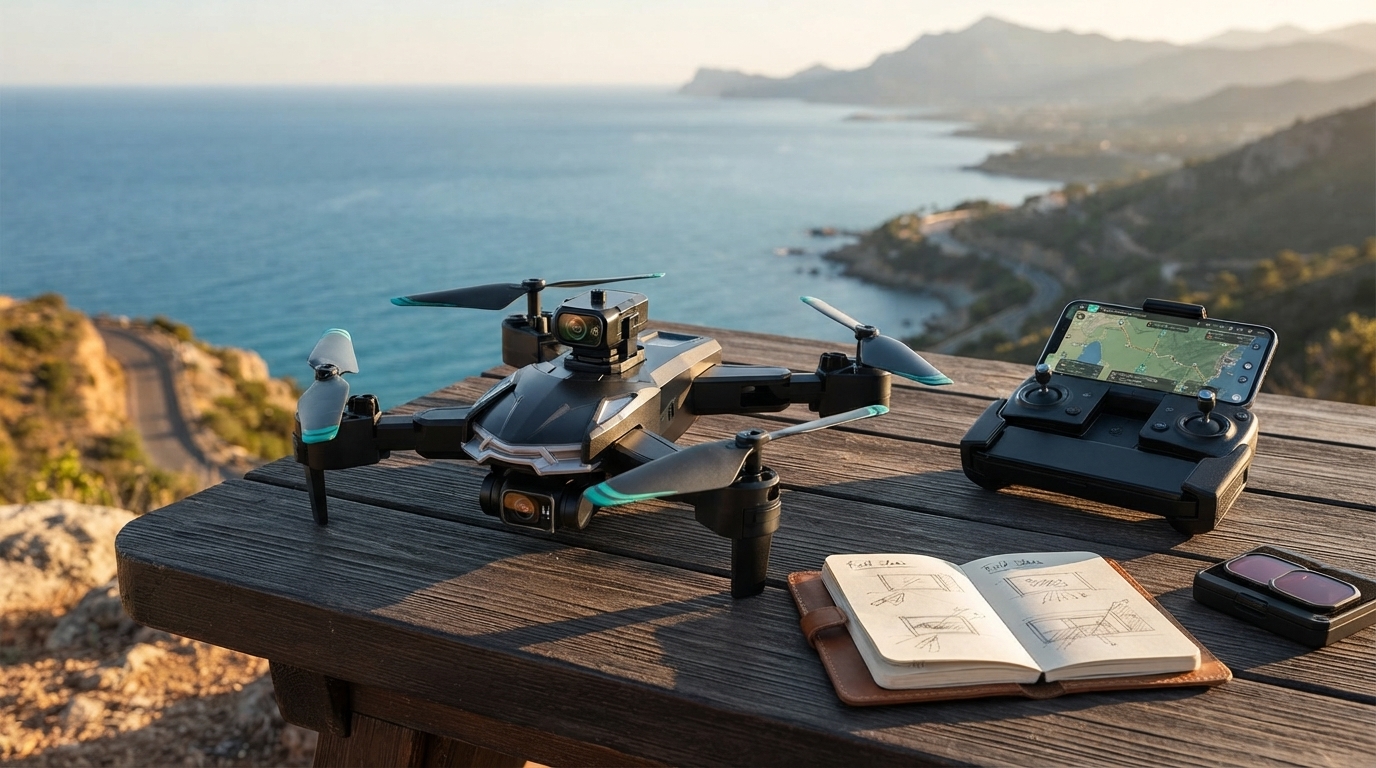
8K 5G GPS Dual-Camera Professional Drone for Aerial Photography: Features, Use Cases, and Setup Tips
A dual-camera drone with GPS can simplify aerial shooting by combining stable positioning, multiple viewing angles, and app-based controls. The goal is practical performance: predictable hovering, a clear live preview, and safety features that reduce “surprises” when you’re outdoors. Below is a straightforward look at how GPS assistance and dual cameras affect real footage, which features matter most before takeoff, and a first-flight checklist that helps match expectations to the conditions drones actually face.
What Makes a GPS Dual-Camera Drone Practical for Aerial Photography
For everyday aerial photography, “practical” usually means the drone can hold its place well enough to frame a shot, move smoothly enough to avoid jitter, and recover safely when orientation gets confusing. GPS-assisted flight is a major part of that: with a good satellite lock, the drone can resist drifting in light wind and support assisted return behaviors that make landings more predictable.
Dual-camera layouts add a different kind of convenience. Switching views mid-flight can help you scout a scene, verify framing, and then capture from another angle—without landing to re-aim the drone. That matters for quick travel shots, wide landscapes, and moments where you want to keep the drone airborne to preserve timing and battery.
High-resolution capture (including “8K” as marketed on many consumer models) is most valuable when it’s paired with stability and correct exposure. Detail is only useful if the footage is steady and not blown out by harsh sunlight. Finally, many listings advertise “5G” connectivity; in this category it commonly refers to 5 GHz Wi‑Fi-style transmission, which can provide a cleaner live preview than 2.4 GHz in some crowded areas—though it’s typically more line-of-sight sensitive around walls, trees, and distance.
Key Features at a Glance
When comparing drones in this class, focus on how the camera system, navigation aids, and video link work together during actual flights—not just on maximum resolution numbers.
Quick Feature Checklist for an 8K/5G/GPS Dual-Camera Drone
| Feature | Why it matters | What to verify before flying |
|---|---|---|
| GPS-assisted flight | More stable hovering and easier direction recovery | Wait for a solid satellite lock; calibrate compass if prompted |
| Dual-camera switching | Faster reframing and better scouting without landing | Confirm camera toggle in the app; check both lenses for clarity |
| High-resolution capture (8K marketed) | More detail for crops and wide landscape shots | Use adequate storage; test footage for smoothness and correct exposure |
| 5 GHz video link (often labeled 5G) | Potentially cleaner live preview in busy 2.4 GHz areas | Maintain line of sight; avoid thick walls/trees between controller and drone |
| Return/auto-recovery features | Reduces risk of flyaways and missed landings | Set a safe return altitude; confirm home point update |
| Propeller/airframe inspection | Prevents vibration and unstable footage | Check for cracks, tight fit, and balanced spin |
Real-World Shooting Scenarios and How to Get Better Footage
Wide establishing shots
For cinematic-looking overviews, slow flight is the hidden ingredient. Keep yaw movements gentle and prioritize smooth lateral motion over quick turns. If your footage looks “nervous,” reduce stick input and give the drone an extra second to settle after direction changes.
Top-down reveals
Start higher than you think you need, then descend steadily while keeping the camera angle consistent. Rapid throttle changes often introduce wobble. A steadier descent also makes it easier to match speed across multiple takes.
Subject tracking-style passes
Golden hour landscapes
Setup and First Flight Checklist
Safety, Regulations, and Responsible Flying
Drone rules vary by location, and they can change based on whether you’re flying recreationally or for work. In the U.S., follow FAA guidance for recreational UAS, including airspace limitations and restrictions around flying over people. Start with the FAA’s official resources here: FAA — Fly UAS Safely (Recreational Flyers).
Weather is a performance feature. Strong winds, precipitation, and extreme cold can reduce battery output and stability, even if the drone seems capable on paper. For additional best practices, review established safety guidance such as DJI — Drone Safety Guidelines.
Who This Drone Fits Best
Product Options Available
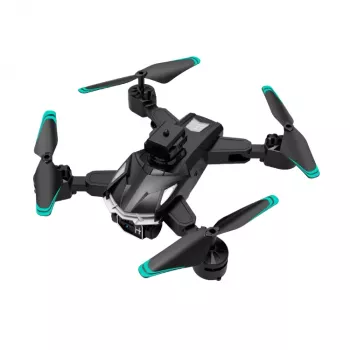
If you want GPS-assisted stability plus dual-camera flexibility at a moderate price point, the 8K 5G GPS Dual-Camera Professional Drone for Aerial Photography is available. Before ordering, confirm your intended flying locations support safe line-of-sight operation and comply with local regulations.
For organizing small accessories like cables, adapters, or spare parts in your travel kit, the 2pcs Set Reusable Baby Blanket Storage Bag can double as a simple gear pouch solution. And if you’re building a compact travel setup where you want to keep cards and essentials together, the Calvin Klein Men’s Leather Wallet is also in stock.
FAQ
Does “5G” on a drone mean it uses cellular 5G?
Usually not. Many consumer drone listings use “5G” to mean 5 GHz Wi‑Fi-style video transmission for the live preview, not cellular 5G service. It can be less crowded than 2.4 GHz in some areas, but it typically needs clearer line of sight for best results.
How do GPS features help with aerial photography?
GPS assistance can improve hover stability, reduce drifting, and make it easier to recover when you lose orientation. That stability helps you hold framing longer and repeat smoother passes, and it also supports assisted return-to-home behavior for safer recoveries.
What should be checked before the first outdoor flight?
Confirm battery levels, propellers, and a solid GPS satellite lock, then set a safe return-to-home altitude and verify the home point. Also check weather and wind, confirm the area is legal to fly in, and make sure you can maintain visual line of sight throughout the flight.













Leave a comment